see all blog articles

Quickbooks Part Deux | The Feature Request

  • Tech
  • Development
Author Image

Mitch Budreski

Principal | Full Stack Developer

Team Member

Mm mm mm.

Nobody asked for a sequel about small business accounting software and yet, here we are...

Today we're using our working experience with QuickBooks Online to walk through how to craft a solid Feature Request. Even if you don't work for the organization behind the tool, constructively framing user feedback can make a world of difference for teams tasked with building and improving these products.

Let's wind back the clock a second:

  1. In our first outreach, we established that an API synchronization issue between our bank and our accounting software was experiencing authentication setbacks
  2. Literal years have passed as both our operational cadence and their system sophistication has evolved
  3. Application familiarity between us and QuickBooks has matured, due to our own unique experiences and their own growth as an accounting software organization

And if you want the full backstory (5 Yelp stars for comprehensive bug reporting, guaranteed)...

Bug Reports in the Wild | Integration Problem From Quickbooks to Scotiabank

The most important thing that one can do

When drafting bug tickets, or producing feature proposals is not start yelling and doing this at all or whatsoever.

woman throws a vase into a mirror and it shatters gif
It is not very helpful you see.

Tempting?

Absolutely. But not very helpful.

Think of a feature request more like a recipe. You're making a banana split for your best friends at a mix and mingler, one so good it'll be the talk of the town, have future friends lining up for your ice cream parties, and telling their friends about it too.

So what's in the recipe?

The Summary

  • Give a high-level synopsis
  • Use visual examples where appropriate
  • Include any existing notes or documentation to eliminate guesswork

Let's get started

🎤mmHMM

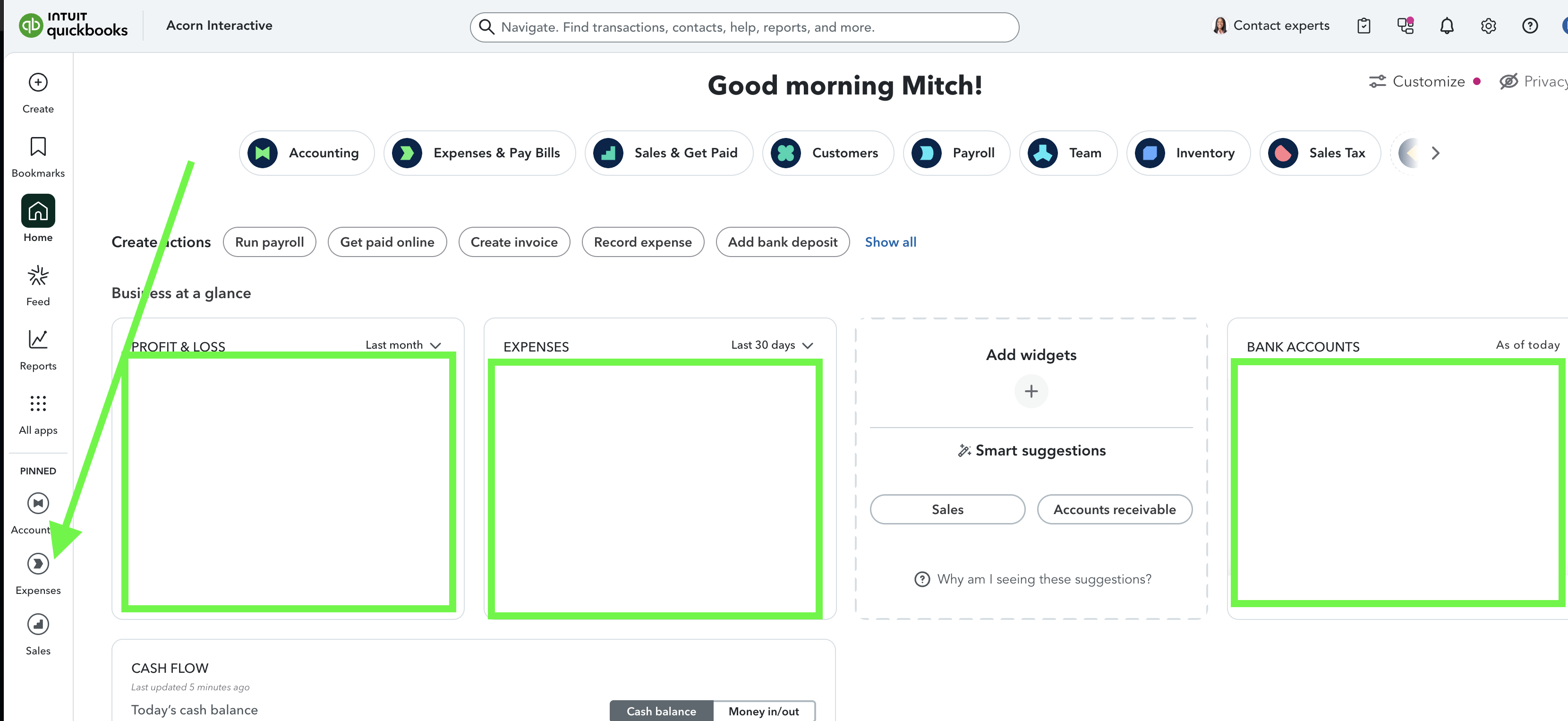
🥸 As a business owner, I'm very familiar with contractor bill reporting on the QBO desktop interface.

creenshot of QuickBooks Online dashboard for Acorn Interactive with green arrows pointing to the Profit & Loss, Expenses, and Bank Accounts widgets in the 'Business at a glance' section. The dashboard shows navigation options including Accounting, Expenses & Pay Bills, Sales & Get Paid, Customers, Payroll, Team, Inventory, and Sales Tax, along with quick action buttons for running payroll, getting paid online, creating invoices, recording expenses, and adding bank deposits.
Give pointers visually to critical information and obfuscate information that isn't pertinent.

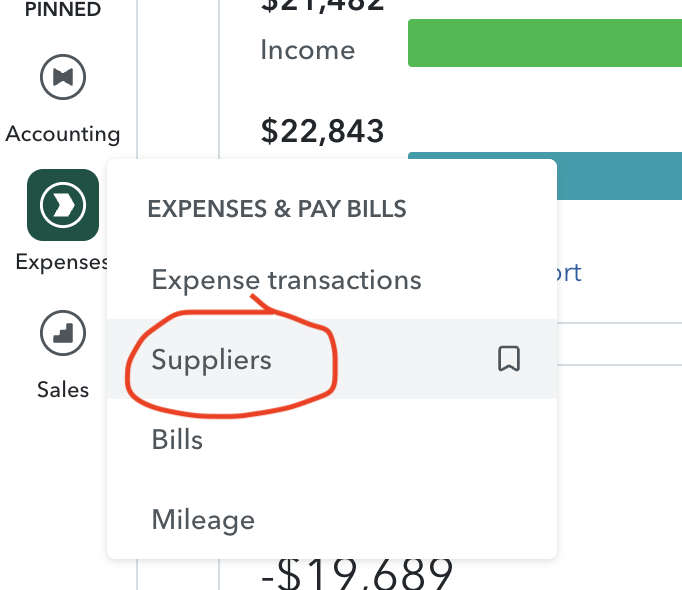
🥸 Part of my biweekly routine includes checking aggregated bills so I can make timely contractor payments.

Using the enhance functionality it can be useful for observers to see over a series of images exactly what you're talking about.

(there is wiggle room to admit minor vulnerabilities)

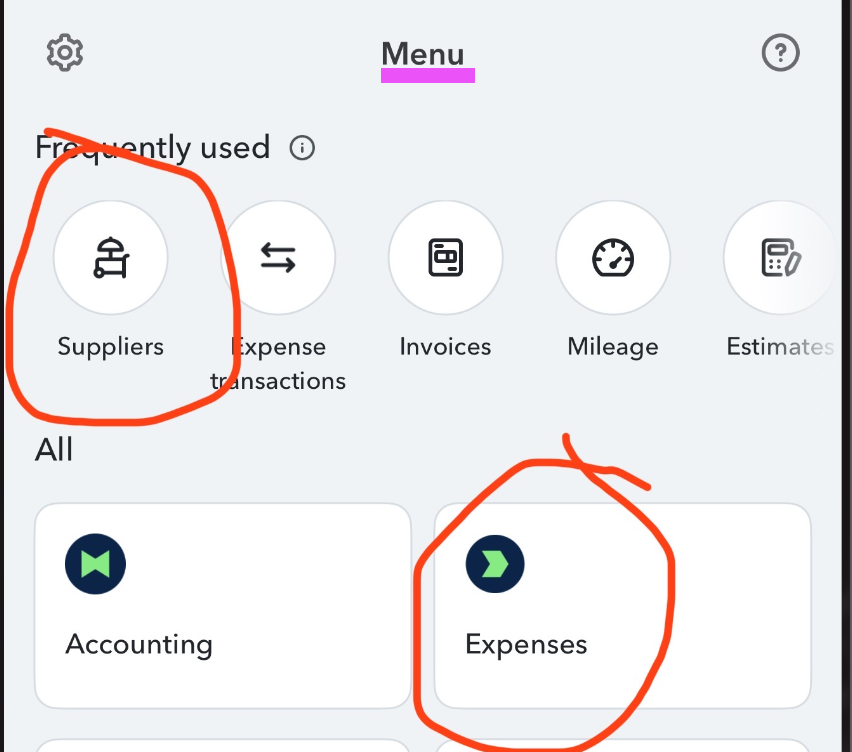
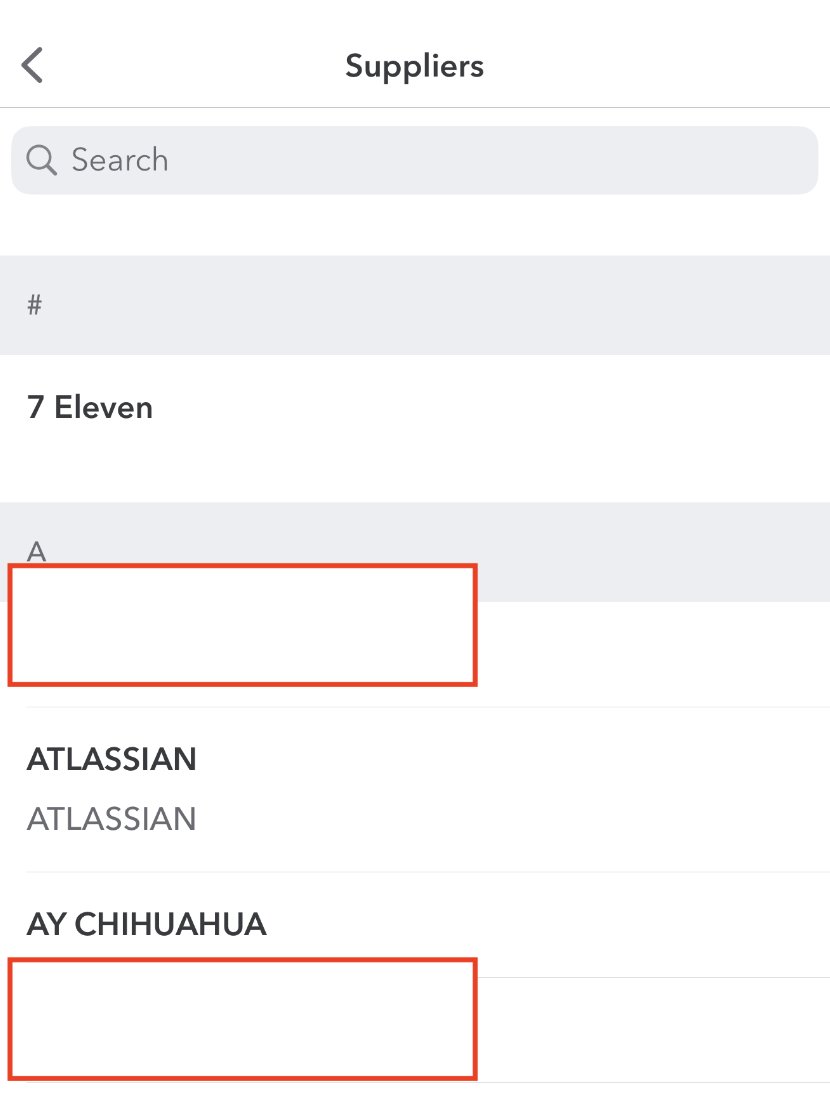
🥸 I wouldn't call myself an expert on the mobile app just yet (ha ha), but I was trying to make those same payments from it and noticed something:

Screenshot of the QuickBooks Online mobile app Menu screen. The 'Frequently used' section at the top shows quick-access icons for Suppliers, Expense transactions, Invoices, Mileage, and Estimates, with 'Suppliers' circled in red. Below, the 'All' section displays tiles for Accounting, Expenses, Sales & Get Paid, Customer Hub, Reports, and More, with 'Expenses' circled in red. At the bottom, 'Other Apps from Intuit' lists Mailchimp, Workforce, and GoPayment.

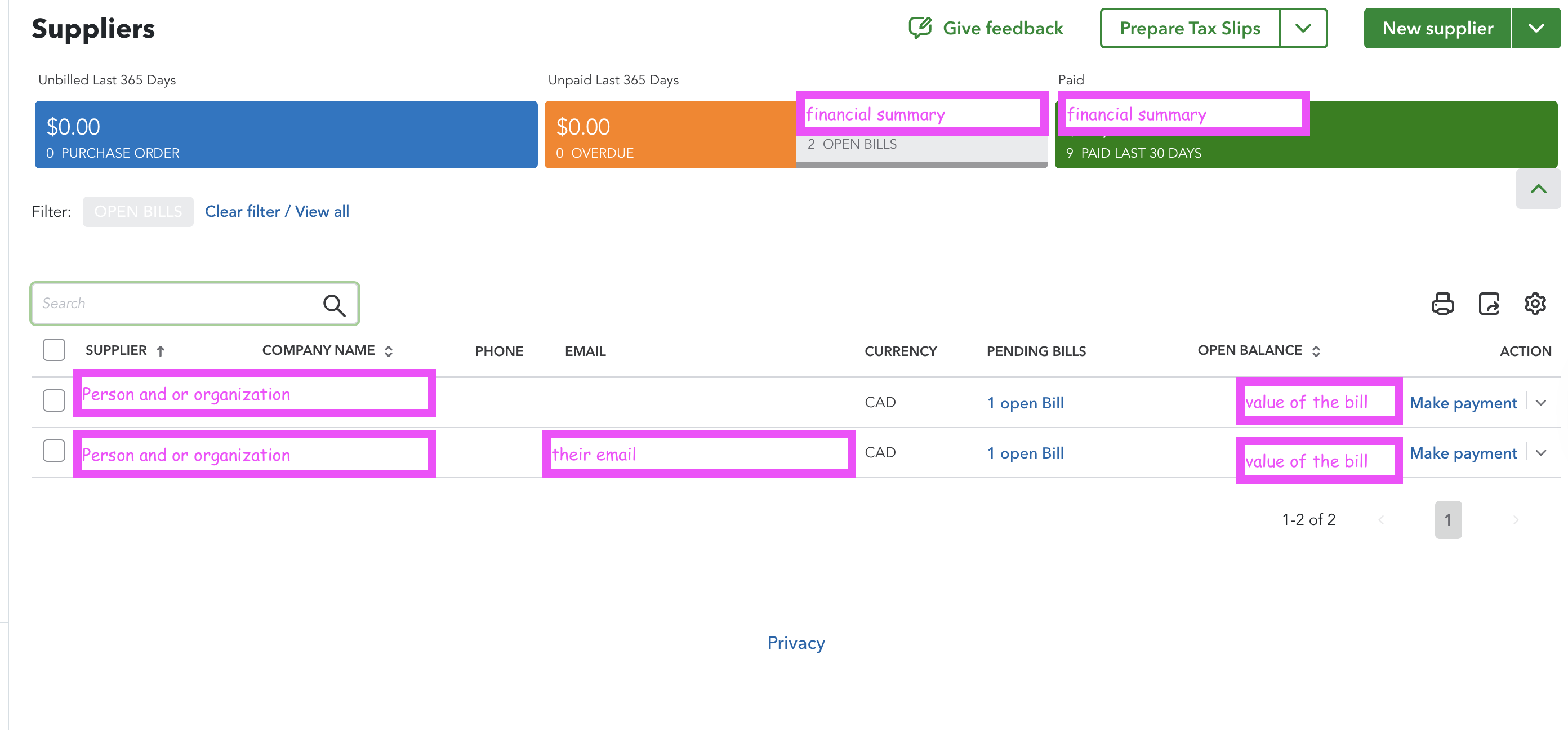
🥸The same set of interactions, like clicking into Suppliers and seeing contractor balances at a glance,

Screenshot of the QuickBooks Online mobile app Suppliers list, sorted alphabetically with a search bar at the top. Suppliers listed include 7 Eleven, Atlassian, Ay Chihuahua, Adobe, Advanced Parking, Airbnb, Alignable, Alpine Cafe, and Amazon Web Services. Two supplier names under the 'A' section are redacted with red rectangles to hide personal information. A green '+' button appears in the bottom-right corner for adding new suppliers.

🥸 isn't comparably reflected on the mobile experience.

Now for the important part:

Ballerina swan jump
The Proverbial Airborne Swan Jump Maneuver

🥸 What I would need this feature to support, from the lens of success criteria, is:

  1. The ability to have contractor balances summarized in a comparable manner to the desktop experience
  2. Building a consistent sense of UX clarity between the desktop and mobile applications

(and then)

🥸 Given there are also modules for items like CPP tax balance payments, it is also worth noting that a transitory contractor-expense-based module as a standalone may produce the data driven architectures that can help an organization like our own bolster a more refined

✌️semblance of fiduciary data trails ✌️

Such that we can bolster trust and reputation with entities like the Canada Revenue Agency.

Don't get us wrong, though (ha ha)

We're well aware there are only so many hours in a day. The goal of a feature request isn't to add to someone's pile. It's to make the pile easier to sort through.

Clear examples, visual context, and success criteria that speaks to the "why". Now that's a delightful banana split recipe.

So thanks for hearing us out on this one. And don't have a good work week.

Have a great one.

Have a new feature or improvement in mind for your digital infrastructure?

Let's get the facts on paper and get to work.

Author Image

Mitch Budreski

Principal | Full Stack Developer